
From Excel Hell to AI-Powered Engineering: A Modernization Tutorial for modelling & simulation R&D
From Excel Hell to AI-Powered Engineering: A Modernization Tutorial for modelling & simulation R&D
Bring your legacy data and workflows into the era of AI.
The Excel Problem Every R&D Team Knows Too Well
Let's be honest about something: your most critical engineering calculations probably live in an Excel file.
Maybe it's called `Silo_Design_v47_FINAL_FINAL_Mike_edits_2.xlsx`. Maybe it's been passed down through three generations of engineers, each adding their own tabs, formulas, and color-coded cells that "definitely shouldn't be changed". Maybe the person who understood the VBA macros retired in 2019.
You're not alone. Across R&D organizations worldwide, decades of engineering knowledge are locked inside spreadsheets that are:
- Fragile: One misplaced parenthesis breaks everything
- Opaque: Good luck figuring out what cell `AA47` actually represents
- Static: The physics hasn't been updated since the original author created it
- Isolated: No connection to your other tools, databases, or AI capabilities
But here's the thing: that Excel file works. It contains real engineering value built over years. You don't want to throw it away, but rather integrate it into amodern workflow.
This blog post shows you how.
What We're Building
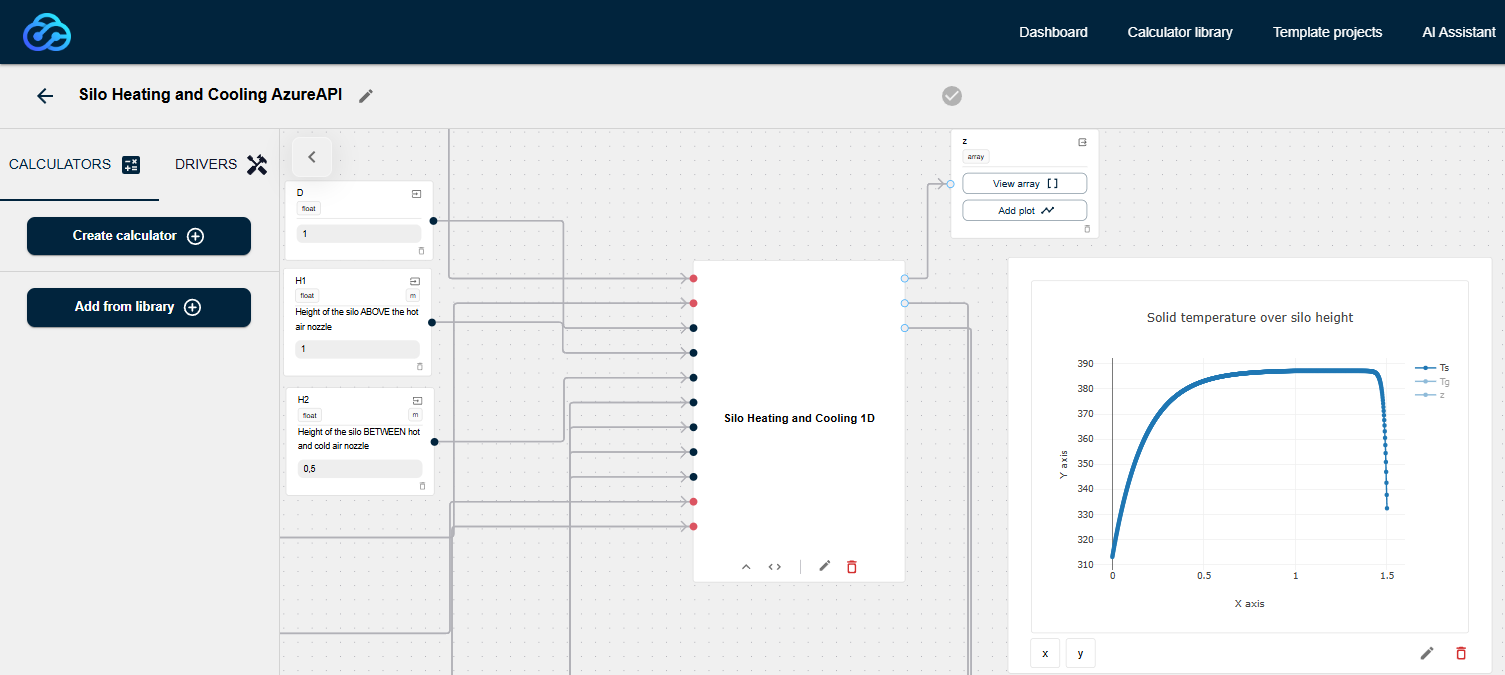
We'll take a real engineering problem, "designing a silo with counter-current gas flow for heating or cooling granular materials", and modernize it step by step.
We start with the following situation: material properties are stored in Excel, manual calculations are scattered over different tabs and there is no connection to AI or other modern tooling. The aim is to obtain a "digital twin" for the original application that automatically updates whenever specs change. This involves a cloud-based workflow that pulls live data from your spreadsheet, tools that suggest better equations based on the physics of the process as well as RAG-powered context extraction from your existing documentation.
Now, let's build it:
Step 1: Building the physics model - traditionally or using our AI assistant
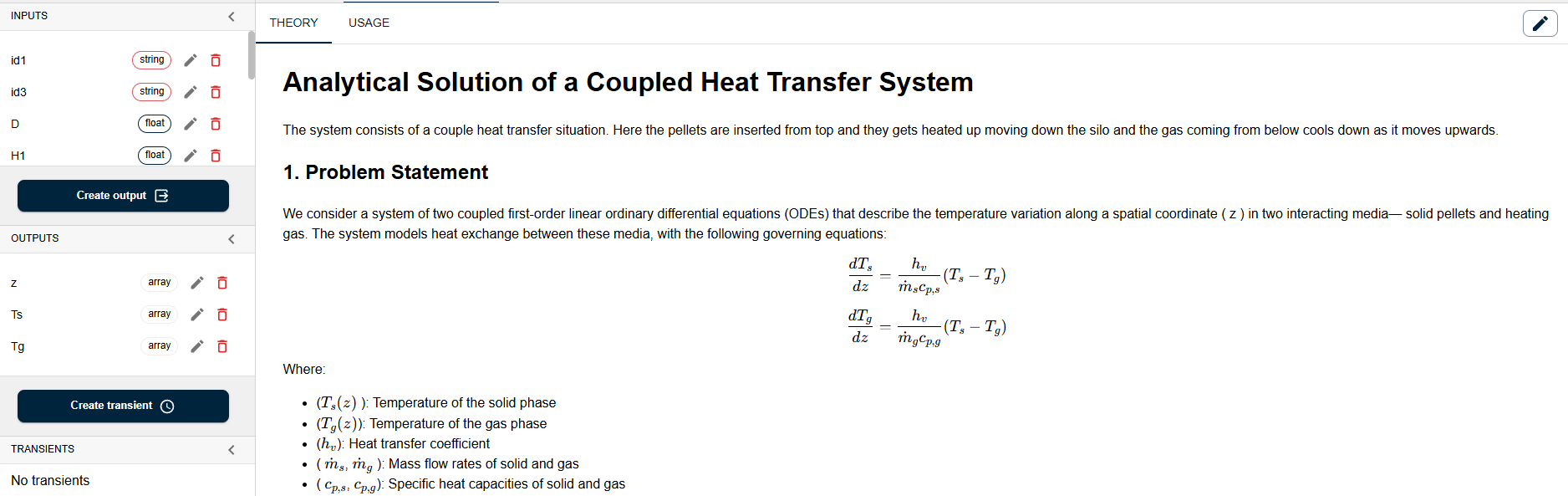
Put together the physics model. Maybe it is already among the thousands of calculators that we have on engicloud.ai. If not, you can develop it either his using the "traditional" way of writing the python code and documentation yourself and store it into an engicloud calculator, or you can use the engicloud AI assistant to help you with that. In our case, we are solving for the temperature of the solid phase and the gas phase inside the silo:
Step 2: Connecting to Your Excel Data
The foundation of most R&D workflows is data, and that data usually lives in Excel. Rather than abandoning these carefully curated spreadsheets, engicloud.ai lets you connect directly to them via the Microsoft API.
Here's what this looks like in practice:
User: "Pull the thermal conductivity and specific heat capacity for PP granulate and the gas from the materials database."
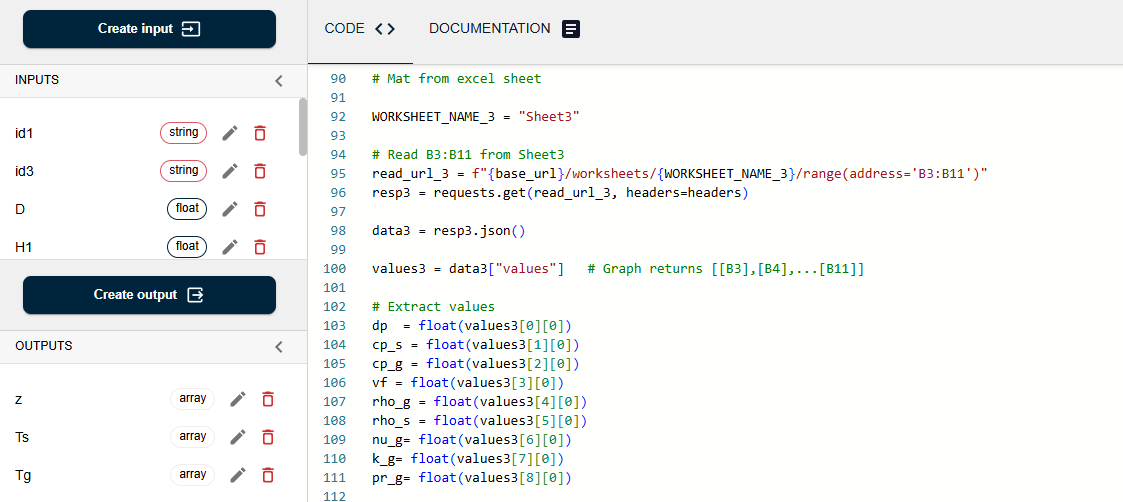
engicloud.ai will then connect to Excel via Microsoft API and retrieve the following:
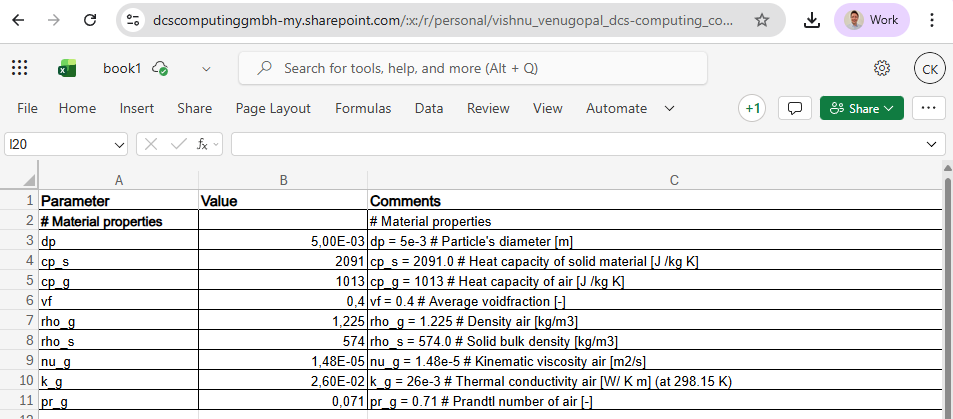
Your spreadsheet remains the source of truth—but now it's accessible programmatically within a modern workflow. No copy-pasting. No version mismatches. No "which file is the latest?" confusion.
Step 3: Enriching Context with RAG
Engineering knowledge doesn't just live in spreadsheets, it is also scattered across slide decks, technical reports, old project documentation, and the institutional memory that walks out the door when senior engineers retire.
Using RAG (Retrieval-Augmented Generation), e.g. via Pincone, engicloud.ai can pull relevant context from your organization's document corpus, such as this slide deck:
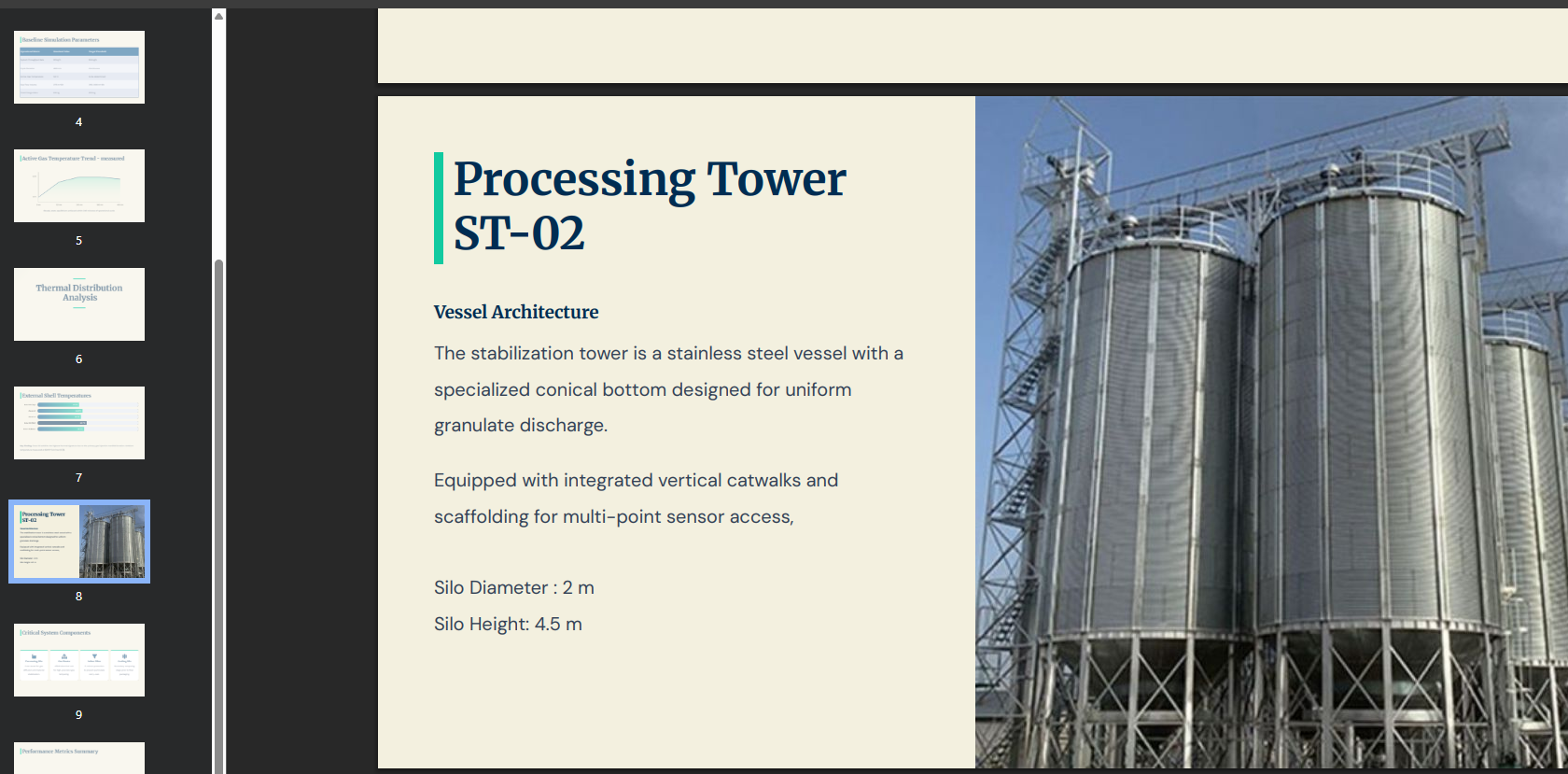
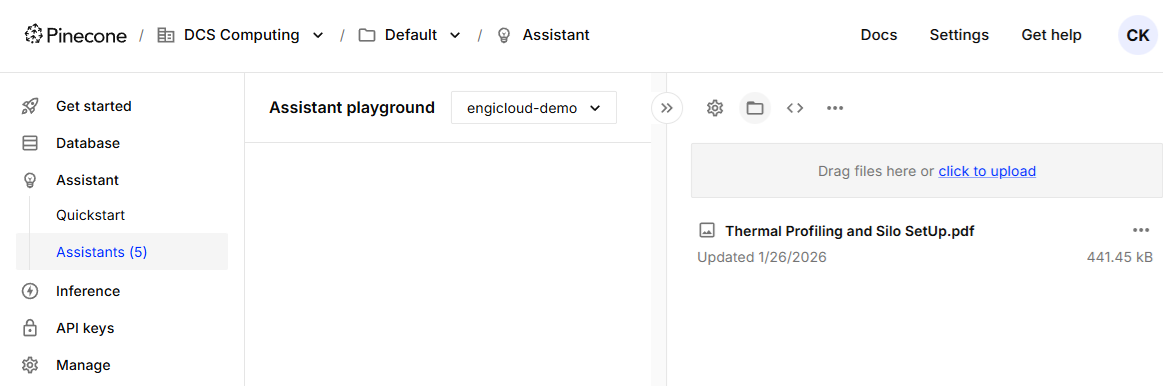
In this example, we are using a https://www.pinecone.io/ assistant that helps us make our data searchable and integrate into our calculations. Other RAG systems may be used as well, Pinecone is used here just to illustrate this example. For this, we created a pinecone account, and used the assistants playground, and uploaded the file (slide deck) we want to be able to search. Pinecone then automatically creates so-called create vector embeddings and is integrated with LLMs that help us retrieve the relevant information.
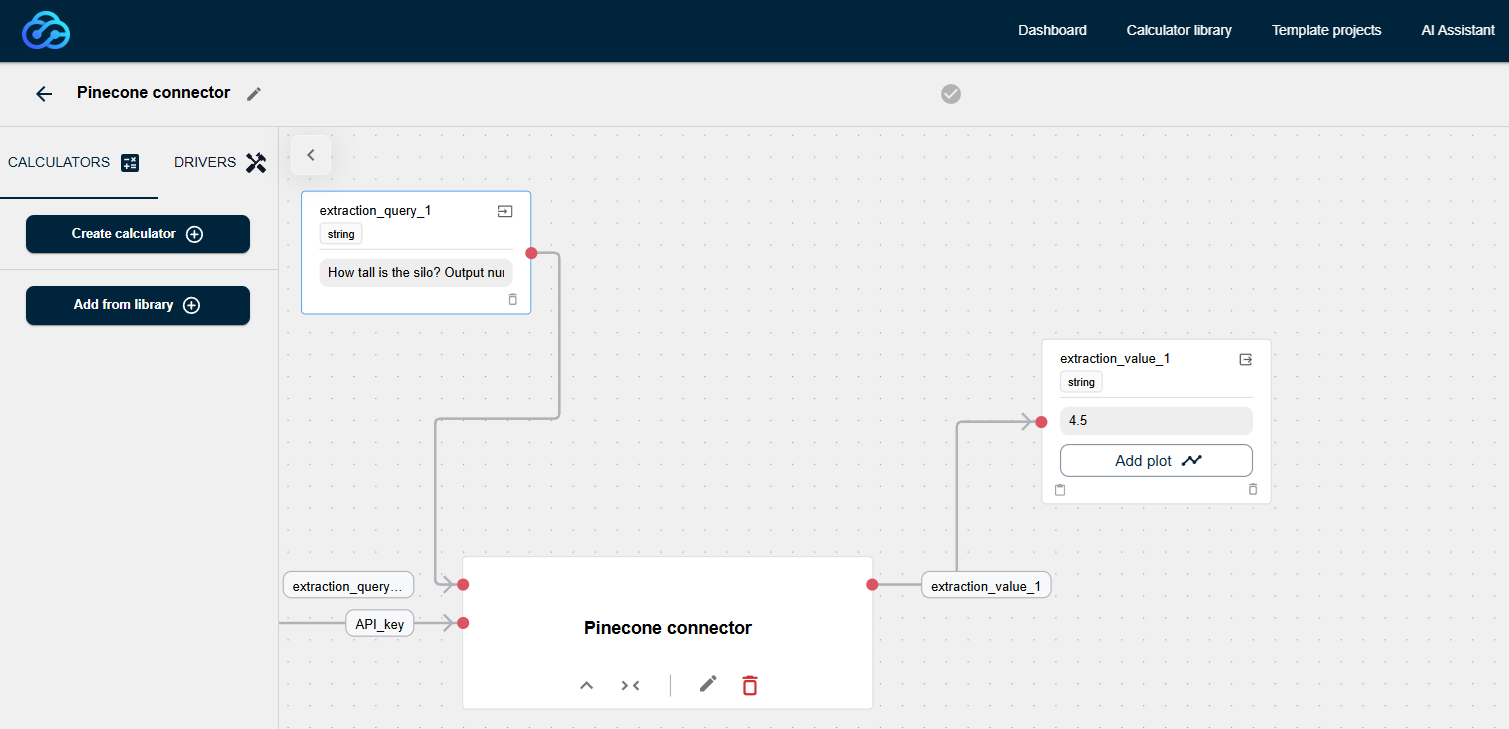
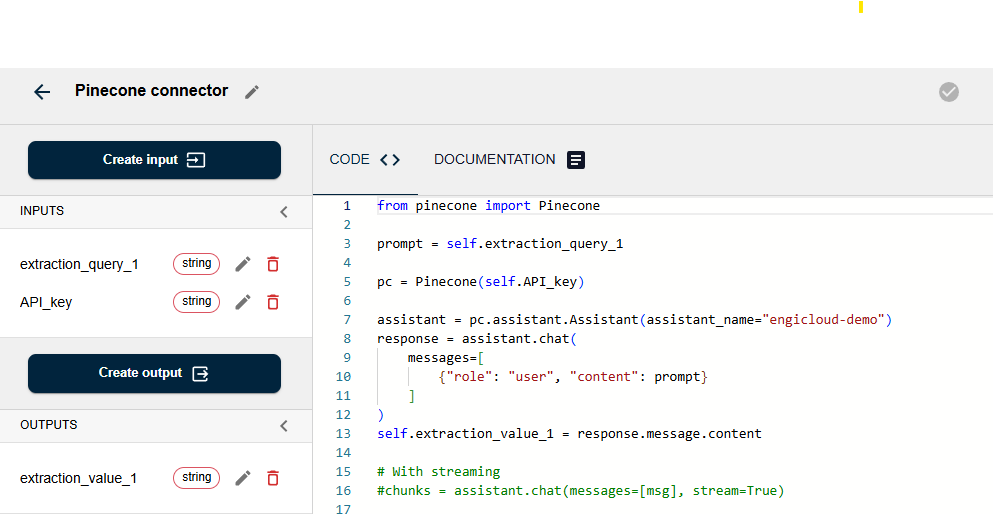
For our silo example, we could build a separate pinecone connector calculator that extracts the silo height from the presentation and can be used for further calculation.
The user would ask: "How tall is the silo"? and the assistant would retrieve the correct value of 4.5 m. Also note that in the document "silo height" is specified and the search query asks for "how tall", but since we are using semantic search here, the result is retrieved correctly.
Getting Started: Your Modernization Path
Ready to bring your legacy workflows into the era of python and data-driven modelling / AI? Here's a practical starting point:
- Identify one high-value spreadsheet, preferably one that's frequently updated and feeds into critical decisions
- Connect it to engicloud.ai via the Microsoft API integration
- Index your supporting documents in Pinecone for RAG-enabled context retrieval
- Build your first automated workflow: start simple, perhaps just pulling parameters and running a calculation
- Iterate and enhance: add AI suggestions, automatic triggers and more sophisticated models over time
The goal is to first create a prove of concept and then start rolling it out step by step. engicloud.ai provides the bridge between where your data lives today and where engineering workflows are heading: cloud-based, grouned in physics but AI-enhanced, automatically synchronized. We have shown you the silo-example, but the same pattern works for pretty much any application, including a heat exchanger design, reactor modeling, structural analysis or any other engineering calculation that is currently trapped in a spreadsheet.
Your engineering knowledge is valuable. Let's unlock it.
Have a look at the entire project directly on the platform or watch the walk-thorugh tutorial.
Interested in modernizing your R&D workflows? Sign up today or reach out to discuss your specific use case.
About the author
Dr. Christoph Kloss is co-founder and director of DCS Computing. He is the original author of the LIGGGGHTS open source and the Aspherix Discrete Element Method (DEM) software. He holds a PhD in fluid mechanics from JKU Linz, has been involved in dozens of consultancy, software development and R&D projects.